The Future of Apps with Flutter and LLMs: Low Code
How AI, on-device LLMs, and low-code platforms are reshaping the future of cross-platform app development.
The Future of Apps with Flutter and LLMs: Low Code
Remember when building a cross-platform app meant choosing between slow development or compromised quality? Those days are over.
Flutter changed the game by letting you ship to iOS, Android, web, and desktop from a single codebase. Now, with Large Language Models (LLMs) entering the picture, we're seeing something even more transformative: apps that build themselves faster, think smarter, and adapt in real time.
Here's the kicker: You don't need a PhD in machine learning to leverage this shift. Low-code platforms are democratising AI-powered app development, making it accessible to founders, product teams, and developers who want to prototype at lightning speed without accumulating technical debt.
This isn't hype. Companies are already shipping Flutter apps with embedded LLMs that personalise user experiences, generate dynamic UIs, and respond to natural language inputs. The barrier to entry? The barrier to entry is now lower than ever before.
Let's delve into the potential of combining Flutter and LLMs in 2026, and discover how low-code tools are currently enabling access to this future.
Why Flutter + LLMs in 2026?
Flutter's cross-platform capabilities have already proven themselves. As we covered in our guide to Flutter's single codebase approach, companies like Google Pay, BMW, and Alibaba aren't experimenting. They're running Flutter in production with millions of users.
But 2026 marks an inflection point. LLMs aren't just chatbots anymore. They're becoming the intelligence layer inside your apps, powering everything from personalised recommendations to context-aware interfaces that adapt based on user behaviour.
The convergence happening right now:
On-device AI reduces latency. Running lightweight LLMs directly on mobile devices means instant responses without cloud round trips. Google's Gemini Nano and Apple's CoreML optimisations make this standard, not experimental.
Generative UIs create dynamic interfaces. Instead of hardcoded screens, LLMs can generate UI components based on user context. Imagine an e-commerce app that rebuilds its homepage layout based on individual shopping patterns, no A/B testing required.
Enterprise adoption is accelerating. According to recent industry analysis, Flutter adoption in enterprise applications has grown 40% year-over-year. Add LLM capabilities, and you're looking at apps that can handle complex business logic while remaining maintainable by smaller teams.
Why this matters for your business:
If you're evaluating Flutter for your next project, understanding Flutter app development costs becomes even more critical when factoring in AI integration. Fortunately, there is good news! Low-code platforms are dramatically reducing both development time and cost barriers.
Low-code platforms are revolutionising Flutter
The "no fear" promise isn't marketing fluff. It's what happens when visual builders meet AI-powered code generation.
Traditional Flutter development requires Dart expertise, understanding of state management patterns (we've written extensively about avoiding common Flutter development mistakes), and time to build custom components. Low-code platforms flip this equation: start with drag-and-drop interfaces, inject LLM logic through visual nodes, and export production-ready code.
Three approaches to Flutter + LLMs in 2026:
|
Platform |
Key Features |
LLM Integration |
Best For |
Learning Curve |
|
FlutterFlow |
Visual UI builder, API connectors, Firebase sync |
Custom LLM nodes, OpenAI/Gemini plugins |
Rapid prototypes, MVPs, apps with standard UIs |
Low (days) |
|
Dhiwise |
Auto code generation, design-to-code, team collaboration |
AI-assisted logic, smart component suggestions |
Enterprise scale, complex workflows |
Medium (1-2 weeks) |
|
Direct Flutter |
Full codebase control, custom architecture |
Packages like langchain_dart, google_generative_ai |
Custom apps, specific integrations, maximum flexibility |
High (requires Dart knowledge) |
FlutterFlow: Visual Development Meets AI
FlutterFlow has evolved beyond a simple drag-and-drop builder. Their 2026 updates include native LLM integrations that let you:
-
Add conversational interfaces without writing backend code
-
Connect to OpenAI, Google's Gemini, or custom LLM endpoints through visual API builders
-
Generate UI variations automatically based on user segments
-
Export clean Flutter codes that your developers can customise.
Real talk: FlutterFlow works best when your UI requirements are relatively standard. Custom animations or highly specific design systems? You might hit limitations.
Dhiwise: From Design to Intelligent Code
Dhiwise takes a different approach. Import your Figma designs, and it generates Flutter code with built-in AI assistance for business logic. The platform suggests optimal widget structures, generates API integration boilerplate, and even recommends state management patterns.
Their LLM features shine in enterprise contexts:
-
Automated code documentation generated by AI
-
Smart suggestions for accessibility improvements
-
Pattern detection that flags potential performance issues
-
Integration with existing CI/CD pipelines
Direct Flutter Development: Maximum Control
If you're comfortable with Dart (or have developers who are), building with Flutter directly gives you complete architectural control. For LLM integration, you're working with packages like:
-
google_generative_ai for Gemini integration
-
langchain_dart for building complex LLM workflows
-
flutter_llm_chat_ui for pre-built conversational interfaces
This approach requires more upfront investment but pays dividends when you need custom behaviour or tight integration with existing systems. We typically recommend this path for clients with specific technical requirements or those building core IP.
Choosing your approach:
Need an MVP in weeks? Go with FlutterFlow. Building enterprise software with complex requirements? Dhiwise or direct Flutter development makes more sense. Most successful projects actually use a hybrid approach: prototype quickly with low-code, then migrate critical components to custom Flutter as requirements solidify.
Integrating LLMs into Flutter Apps: A Practical Guide
Let's get specific about how LLM integration actually works in Flutter apps. Whether you're using low-code tools or writing Dart directly, the fundamental patterns remain consistent.
Setup: Getting LLMs Running in Your Flutter App
Step 1: Choose Your LLM Strategy
You have two main options:
Cloud-based LLMs (OpenAI GPT-4, Google Gemini, Anthropic Claude):
-
Pros: Most powerful models, constantly updated, minimal device requirements
-
Cons: Requires internet, ongoing API costs, potential privacy concerns
-
Best for: Complex reasoning tasks, apps with reliable connectivity
On-device LLMs (Google's Gemini Nano, small fine-tuned models):
-
Pros: No latency, works offline, privacy-preserving, predictable costs
-
Cons: Limited model sizes, device-specific optimization needed
-
Best for: Privacy-sensitive apps, offline functionality, instant responses
Step 2: Install Required Packages

For more complex workflows with multiple LLM providers:

Step 3: Implement Basic LLM Integration

Real-World Use Cases That Actually Work
E-commerce: AI-Powered Product Discovery
Instead of static product catalogues, imagine an app that understands natural language queries:
"Show me running shoes under $100 that work for flat feet."
Your LLM processes this query, understands intent and constraints, and then generates a personalised product feed. Implementation complexity: moderate. User experience improvement: massive.
SaaS Dashboards: Dynamic Data Visualization
Your enterprise dashboard doesn't need to hardcode every possible data view. Let users ask:
"Compare Q4 revenue across regions and show me any concerning trends."
The LLM interprets the request, queries your backend APIs, and generates appropriate chart configurations. Your Flutter app renders the results using your chosen backend, whether it's Firebase, Supabase, or custom infrastructure.
Healthcare: Compliant, Context-Aware Interfaces
Medical apps have stringent requirements around data privacy and regulatory compliance. On-device LLMs excel here:
-
Process patient data locally (HIPAA compliance maintained)
-
Generate contextual health insights without cloud transmission
-
Adapt UI complexity based on user's health literacy level
Navigating Common Challenges
Token Limits and Cost Management
LLM API costs add up fast. A single chat conversation can consume thousands of tokens. Smart strategies:
-
Implement response caching for repeated queries
-
Use smaller models for simple tasks (Gemini Flash vs. Pro)
-
Set per-user monthly quotas
-
Stream responses to reduce perceived latency
Privacy Considerations
When dealing with sensitive data:
-
Never send PII to cloud LLMs without explicit user consent
-
Implement on-device processing for sensitive operations
-
Use differential privacy techniques for training data
-
Provide clear opt-in/opt-out mechanisms
Performance Optimization
LLM responses can be slow. Mitigate this:
-
Show loading states with meaningful progress indicators
-
Implement optimistic UI updates where possible
-
Use streaming responses to display partial results
-
Cache common queries aggressively
If you're facing performance challenges beyond LLMs, check our comprehensive guide on Flutter development challenges and solutions.
Future Trends in Flutter App Development
What's Coming in 2026
Based on current trajectories and our work with early adopters:
Full-generative apps become standard.
Apps won't just have AI features. They'll be fundamentally generative. Think:
-
UI that completely rebuilds itself based on user behavior patterns
-
Conversational interfaces as the primary input method
-
Apps that write their own feature updates based on user feedback
Edge LLMs Hit Critical Mass
Google, Apple, and Qualcomm are racing to make on-device LLMs powerful enough for complex tasks. By late 2025/early 2026:
-
4B-7B parameter models running locally on flagship phones
-
Real-time translation and transcription without cloud dependencies
-
Privacy-preserving AI that never leaves your device
Low-Code Platforms Add More Intelligence
FlutterFlow, Dhiwise, and competitors are integrating AI that:
-
Suggests entire feature implementations based on natural language descriptions
-
Automatically refactors code for performance
-
Generates comprehensive test suites without manual effort
Platform-Specific AI Acceleration
Flutter's advantage grows as platforms mature their AI capabilities. We're already seeing this with Google's AI integration and Apple's CoreML improvements. The framework that can unify these disparate capabilities wins, and Flutter's positioned perfectly for this.
Ready to Build Your AI-Powered Flutter App?
At VoxturrLabs, we've helped dozens of startups and enterprises build production Flutter apps, from e-commerce platforms to enterprise SaaS dashboards. We're at the forefront of integrating LLM capabilities that make your apps smarter, more personalised, and genuinely useful.
Whether you're starting from scratch or looking to add AI capabilities to an existing Flutter app, our team can help you navigate the technical complexity while keeping your timeline and budget realistic.
Build a high-performing Flutter app with AI capabilities. End-to-end mobile app design, development, and LLM integration.
Frequently Asked Questions
Q1: Can I build a Flutter app with LLMs without knowing how to code?
A: Yes, with low-code platforms like FlutterFlow. You can create functional LLM-powered apps using visual builders and pre-built integrations. However, for custom features or complex business logic, basic programming knowledge helps. Most successful projects use a hybrid approach: low-code for rapid prototyping and custom Flutter for specialised requirements.
Q2: Which backend works best for Flutter apps with LLM integration?
A: Firebase works well for moderate scale with easy integration, though read operations can get expensive. Supabase offers better SQL flexibility for complex queries. Custom infrastructure (AWS, Google Cloud) becomes necessary for enterprise scale or specific compliance needs.
Q3: How do I handle LLM response latency in my Flutter app?
A: Implement streaming responses to show partial results, use aggressive caching for common queries, display meaningful loading states, and consider on-device models for instant responses. For cloud LLMs, optimise prompts to reduce token usage.
Q4: Are there privacy concerns with integrating LLMs into mobile apps?
A: Yes, especially for sensitive data. Never send personally identifiable information to cloud LLMs without explicit consent. For healthcare, finance, or legal apps, use on-device processing. Implement differential privacy techniques and provide clear opt-in/opt-out mechanisms. GDPR and HIPAA compliance require additional safeguards.
Q5: Can I use multiple LLM providers in one Flutter app?
A: Absolutely. Use packages like langchain_dart to abstract provider logic. This lets you route different tasks to optimal models (GPT-4 for complex reasoning, Gemini Flash for simple queries) and provides fallback options if one provider fails. Cost optimisation becomes easier when you match task complexity with model capability.
.


Gaurav Lakhani is the founder and CEO of Voxturrlabs. With a proven track record of conceptualizing and architecting 100+ user-centric and scalable solutions for startups and enterprises, he brings a deep understanding of both technical and user experience aspects. Gaurav's ability to build enterprise-grade technology solutions has garnered the trust of over 30 Fortune 500 companies, including Siemens, 3M, P&G, and Hershey's. Gaurav is an early adopter of new technology, a passionate technology enthusiast, and an investor in AI and IoT startups.

Ready for a Next-Level of Enterprise Growth?
Let's discuss your requirements
You May Also Like
Flutter Development
Integrating Generative AI and GenUI in Flutter Apps
How AI Generated UI Is Transforming Flutter App Development in 2026
 15 min read
Flutter Development
Why Fintech Startups Choose Flutter in 2026
How Flutter Combines Speed, Security, and Scalability for Modern Fintech Products
14 min read
Flutter Development
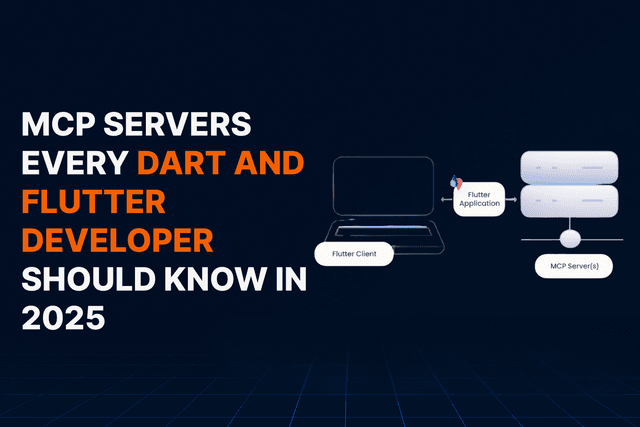
MCP Servers Every Dart and Flutter Developer Should Know in 2026
How Model Context Protocol servers supercharge AI assisted Flutter development workflows
16 min read