Top 5 Flutter UI Libraries for 2026: Build Better Apps, Faster
Your Flutter UI Toolkit Just Got a Major Upgrade
Top 5 Flutter UI Libraries for 2026: Build Better Apps, Faster
Your Flutter UI Toolkit Just Got a Major Upgrade
Let's be real: Building beautiful, responsive Flutter apps from scratch is time-consuming. Instead of spending weeks designing custom widgets, tweaking animations, and ensuring cross-platform consistency, you could utilise UI libraries that handle these tasks for you.
The Flutter ecosystem in 2026 is more mature than ever. We are referring to production-ready UI libraries that come with hundreds of pre-built components, robust theming systems, and active communities that are ready to assist you when you encounter any difficulties.
However, it's important to note that not all Flutter UI libraries are equal. Some offer massive widget collections, but they lack customisation flexibility. Others nail design consistency but don't play nice with your existing codebase.
So which libraries should you actually use? We've tested the top contenders and narrowed it down to five that deserve a spot in your 2026 development toolkit. Let's dive in.
GetWidget: When You Need Every Widget Under the Sun
If you're developing a Flutter app and find yourself thinking, "I wish I had a readymade component for literally everything," GetWidget is poised to become your indispensable companion.
What makes GetWidget special? It's the largest open-source Flutter UI library out there, packing over 1,000 pre-built widgets across 100+ components. Need a customisable button? Done. Complex data table? Got it. Animated loaders, cards, carousels, ratings – you name it, GetWidget probably has it.
Key features that matter in 2026:
- Material and Cupertino support: Whether you're building for Android, iOS, or both, GetWidget has components that follow platform-specific design guidelines. This eliminates the need for maintaining separate UI codebases.
- Customisation without the headache: Every widget is fully customisable through its properties. Change colours, shapes, sizes, and behaviours without delving into the source code. It's the perfect balance between "ready to use" and "make it yours".
- Lightweight and performant: Despite the massive widget collection, GetWidget doesn't bloat your app. Components are optimised, and you only include what you actually use.
- Active community: With 4,000+ stars on GitHub and regular updates, you're not adopting a library that'll be abandoned next year.
When to use GetWidget:
You're building an MVP and need to move fast without sacrificing quality. You want comprehensive UI components without vendor lock-in. Your design system isn't super opinionated, and you need flexibility to adapt components to different use cases.
We've seen teams cut their UI development time by 40% with GetWidget, not because they're taking shortcuts, but because they're building on a solid foundation instead of reinventing the wheel. (And if you're wondering why Flutter is the go-to choice for startups, it's exactly this kind of efficiency that makes the difference.)
TDesign Flutter: For Teams That Take Design Systems Seriously
Here's a question: Is your team investing more time in discussing button radius consistency than in developing features?
TDesign Flutter solves that problem. It's not just a UI library; it's a complete design system built for teams that need visual consistency across every screen, every platform, every time.
What sets TDesign apart:
- Design-first philosophy: TDesign was created by Tencent's design team, and it shows. Every component follows a cohesive design language with thoughtful spacing, typography, and interaction patterns.
- Enterprise-grade theming: Switch between light and dark modes seamlessly. Define your brand colours once and watch them spread across every component. TDesign's theming system is what Material Design wishes it could be.
- Responsive by default: Components automatically adapt to different screen sizes and orientations. This eliminates the need to write breakpoint logic for each individual widget.
- Rich component library: From basic buttons to complex data visualisations, TDesign covers the essentials with polish and attention to detail.
When TDesign shines:
Your app needs to feel cohesive across web, mobile, and desktop. You're working with designers who appreciate systems thinking. You want components that look professional out of the box with minimal tweaking.
The trade-off? TDesign is more opinionated than GetWidget. If you need to deviate significantly from its design language, you might find yourself fighting the system. But if you embrace its conventions, you'll ship consistent, polished UIs faster than you thought possible.
For teams building serious Flutter applications, knowing common Flutter development mistakes to avoid is just as important as choosing the right UI library. TDesign's opinionated structure actually helps prevent many of those pitfalls.
The Supporting Cast: Essential Flutter Components You Need to Know
GetWidget and TDesign are powerhouses, but they're not the only tools in your arsenal. Here are three speciality libraries that excel at specific use cases:
Flutter Staggered Animations: Make Your App Feel Alive
Animations are what separate "functional" apps from "delightful" ones. Flutter Staggered Animations makes it ridiculously easy to create sequential, overlapping animations that guide user attention naturally.
What it's excellent for:
-
List items are reveal with staggered timing
-
Complex page transitions
-
Onboarding flows that feel premium
-
Any time you need choreographed UI movements
The library handles the timing complexity for you. You just define what animates, and then the rest is automatic.
Fluent UI: Microsoft's Design Language for Flutter
Is it possible to build a Windows desktop app using Flutter?
Fluent UI gives you native-looking components that match Windows 11's design language perfectly.
Why it matters:
-
Native Windows controls (navigation view, command bars, etc.)
-
Acrylic material effects and authentic Fluent animations
-
Keyboard navigation and accessibility built-in
-
Makes your Flutter app feel like a "real" Windows application
If you're targeting Windows users, Fluent UI isn't optional; it's essential for credibility.
Flutter Hooks: Simplify State Management in Your UI
Okay, Flutter Hooks isn't technically a UI library, but it makes building UI components way easier. Inspired by React Hooks, it reduces boilerplate and makes stateful widgets more readable.
The benefits:
-
Less code for common patterns (animations, controllers, listeners)
-
Easier to reuse logic across components
-
Cleaner widget trees with less nesting
If you're tired of writing initState, dispose, and controller boilerplate, Flutter Hooks will feel like a refreshing change.
How these libraries work together:
Smart teams don't pick one library and call it a day. They mix and match. Use GetWidget for general UI components, add Staggered Animations for polish, implement Fluent UI for platform-specific screens, and sprinkle in Hooks to keep your code clean.
The key is knowing what each library does best and using the right tool for the job.
How to Actually Choose the Right Flutter UI Library (Without Analysis Paralysis)
You've seen the options. Now comes the challenging part: picking what's right for your project.
Here's how to make that decision without overthinking it:
Start with your design requirements:
Do you have a strict design system among your designers? → Go with TDesign or build custom components.
Are you iterating quickly and do you need flexibility? → GetWidget gives you options without constraints.
Are you targeting a specific platform with unique design expectations? → Use platform-specific libraries like Fluent UI.
Consider your team's experience level:
Junior developers or contractors? → Libraries with comprehensive documentation and examples (like GetWidget) reduce onboarding friction.
Is an experienced team comfortable with customisation? → You have more freedom to mix specialised libraries.
Evaluate community and maintenance:
Check GitHub activity. Is the library actively maintained? When was the last commitment?
Please review the issue resolution time. Are bugs getting fixed or piling up?
Assess community size. A larger community means more tutorials, Stack Overflow answers, and third-party plugins.
Think about performance implications:
Some libraries are heavier than others. If you're building a lightweight app, a massive component library might be overkill.
Test build sizes with and without the library. The difference might surprise you.
Profile rendering performance for complex screens. Some libraries are optimised better than others.
Don't ignore integration ease:
How well does the library play with your existing dependencies?
Does it support null safety? (In 2026, this should be non-negotiable.)
Can you gradually adopt it, or is it all or nothing?
The honest truth? You probably won't get it perfect on the first try. Most successful Flutter projects evolve their UI approach as they learn what works. Start with one primary library, add specialised tools as needs arise, and don't be afraid to swap libraries early if something isn't clicking.
When planning your Flutter project, understanding Flutter app development costs helps you budget not just for development time but also for the right tooling and libraries that'll speed up your timeline.
From UI Libraries to Launch-Ready Apps: The Complete Picture
Here's something most articles won't tell you: choosing the right Flutter UI library is just the beginning. You also need to think about state management, backend integration, deployment pipelines, testing strategies, and how you'll actually scale your app as it grows.
Having a strategic technology partner is crucial in this process.
At VoxturrLabs, we've built dozens of Flutter apps from concept to production, and we've learnt what works beyond just picking pretty UI components. Our Flutter app development services go way beyond slapping together widgets. We consider factors such as architecture, performance, maintainability, and the implications of your user base increasing tenfold overnight.
What a complete Flutter development partnership looks like:
You choose your UI library and start building features. We help you architect the app structure so it doesn't turn into spaghetti code six months from now. We implement proper state management patterns, not just the ones that work in tutorials. We set up CI/CD pipelines so your team can ship confidently. We optimise performance before it becomes a problem, not after users complain.
And here's the part that matters most: we don't disappear after launch. Apps need iteration, updates, and scaling. Whether you're adding new features, optimising costs, or expanding to new platforms, we're there as your extended technical team.
We've worked with startups building their first MVPs and enterprises modernising their legacy systems. The common thread? They all needed more than just development; they needed a partner who understood the full product lifecycle.
And once your app is built? Our subsidiary agency Voxturr handles the growth and marketing side because a great app nobody uses is just expensive code.)
Bottom Line: Choose Based on Your Project, Not Hype
The Flutter UI library landscape in 2025 is mature, powerful, and honestly a little overwhelming. But here's what you need to remember:
- GetWidget is your Swiss Army knife – comprehensive, flexible, and perfect for teams that need to move fast without sacrificing quality.
- TDesign Flutter is your design system in a box— ideal for enterprise teams and anyone who needs rock-solid visual consistency.
Specialised libraries like Staggered Animations and FluentUI fill specific gaps that general-purpose libraries can't address alone.
Avoid selecting a library solely based on its popularity or number of GitHub stars. Evaluate your specific needs:
-
What are you building?
-
Who's building it?
-
What matters most – speed, customisation, or design consistency?
Answer those questions honestly, and the right choice becomes obvious.
The real magic happens when you pair the right UI library with solid engineering practices, proper architecture, and a clear path to launch. That's when Flutter's apps went from "technically impressive" to "genuinely successful."
UI libraries handle the surface level – what users see and interact with. But underneath? You need clean architecture, proper state management, scalable backend integration, and deployment infrastructure that doesn't fall apart under load. You need a team that's built apps before and learnt from their mistakes, so you don't have to make the same mistakes yourself.
Ready to build something great? Whether you're just starting to explore Flutter or you're ready to commit to a full build, VoxturrLabs' Flutter development services can take you from idea to launch and beyond. Let's turn that app concept into something users actually love.


Gaurav Lakhani is the founder and CEO of Voxturrlabs. With a proven track record of conceptualizing and architecting 100+ user-centric and scalable solutions for startups and enterprises, he brings a deep understanding of both technical and user experience aspects. Gaurav's ability to build enterprise-grade technology solutions has garnered the trust of over 30 Fortune 500 companies, including Siemens, 3M, P&G, and Hershey's. Gaurav is an early adopter of new technology, a passionate technology enthusiast, and an investor in AI and IoT startups.
Ready for a Next-Level of Enterprise Growth?
Let's discuss your requirements
You May Also Like
Flutter App Development
Why Flutter is the Go-To Choice for Start-ups
Discover why Flutter is the go-to framework for startups — cost-efficient, scalable, and high-performance for building cross-platform mobile apps.
 6 min read
Flutter App Development
Why Startups Must Choose Flutter for App Development
How Flutter Reduces Development Costs, Accelerates Time to Market, and Delivers Near-Native Performance for Modern Startups
8 min read
Flutter App Development
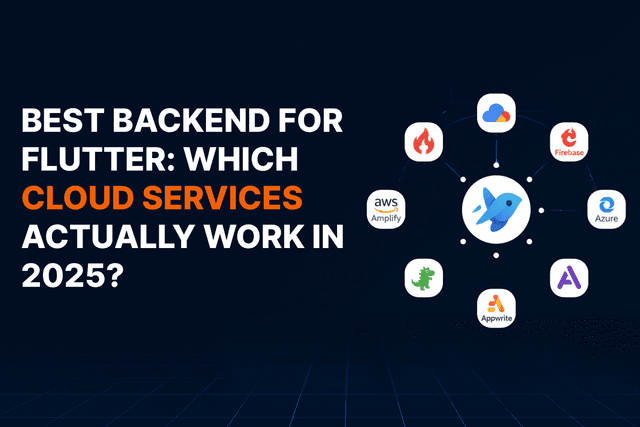
Best Backend for Flutter: Which Cloud Services Actually Work in 2026?
Firebase vs Supabase vs AWS Amplify: A practical guide to choosing the right backend for your Flutter app without the hype or surprises.
9 min read

Flutter App Development
5 Flutter App Development Mistakes- What to Avoid and Why?
As a developer, you know that building cross-platform apps with Flutter can be incredibly powerful and efficient to bring your ideas to life. With its ease of use, speed of development, and seamless integration with native platforms, Flutter app developme
2 min read
Flutter App Development
Can Flutter Build Enterprise-Grade Desktop Applications? The 2025 Reality Check
An honest 2026 reality check on when Flutter desktop actually works for enterprise apps, where it struggles, and how CTOs should decide.
25 min read
Flutter App Development
Why Flutter Web App Development?
One codebase for mobile and web sounds perfect. But Flutter Web isn't right for every project. Here's when it works, when it doesn't, and how to choose wisely.
10 min read
Flutter App Development
Flutter vs Traditional Enterprise App Development [2025]
Flutter vs native for enterprise apps: cost, speed, performance, UI, integrations, and maintenance. A practical guide for CTOs choosing the right approach.
7 min read
Flutter App Development
How to Read Google Sheet Data in a Flutter App
A practical guide to building dynamic, easily-updatable Flutter apps using Google Sheets as a lightweight CMS.
18 min read